 for CorelDRAW
Current version: 7.4.12.58
for CorelDRAW
To update eCut - download latest version and install.
In Finger-joint box builder added parameter for setting the gap between the parts, if it is tight.
Perimeter in nesting legend.
Update to script functions.
Many FEFCO (02,03,04), ECMA (A,B) templates will be added (upon request)
Improved: support for Graphtec plotters, dimensions.

Summer update of some functions.
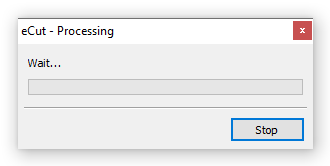
Almost everywhere, you can stop the "Wait/Processing" process if the coreldraw freezes when processing heavy documents. Tip: before launching, convert all objects into curves, in this case coreldraw gives information about selected objects faster.
The "Slice" function can now cut to the specified cell sizes.
In the diodes, I adjusted the generated distance between the diodes so that it does not exceed the specified value.
I have made several improvements to the price calculation module. It is now possible to display the name of objects and set a minimum price for each item. You can select shapes in document by click on table and copy information to clipboard.
In the "page combine" function, I have added the ability to sort objects by color and then group or arrange them into separate layers.
The "Variables" function now has Zint integration - this is a barcode and all kinds of QR codes generator . This is an opensourse project that is constantly updated and supplemented with new codes - more details can be read on the project website.
In node extension you can now set first point to corner or edge (even in the middle of segment).
Added support for Graphtec plotters for cutting Iimages with cropmarks(type1 and type2)
Numbering can output perimeter and area in legend.
Function for creating a page for each selected object.
Little fixes in route optimizer
CorelDRAW 2026 support added.
Little improvement in Nesting function.
Variables fix.
Finger joint change size improved.
New simple cropmarks added.
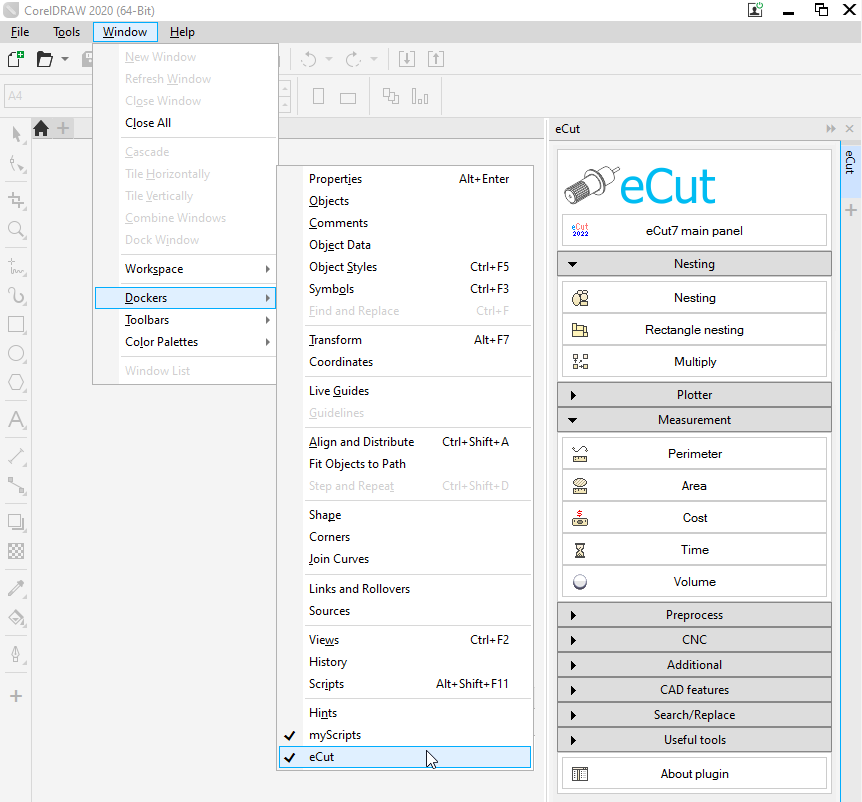
Added docker for eCut
Function of searching for duplicated edges has been greatly improved. Now plugin is looking for partial overlap of curved segments.
The Cut/Plot function has a parameter for turning the knife before cutting - the plotter cuts a small stroke at the very beginning to rotate the knife in the right direction.
The limits of the sheet in the nesting function have been slightly increased.
CorelDRAW toolbar updated
Nesting has legend and barcode for each nested block.
The time calculator can count time without taking into account the curvature of the paths (for lasers)
The Dimension function has been updated, and there are many options.
In the function of creating holes on the backs of letters, there is an option to create a frame (a metal frame for attaching letters)
Minor improvements to the functions:
removing duplicate edges can invert the selection order
make a multiple of in neon now takes into account connectors
Object creation function you can generate barcodes in rectangles
The edge-roll function can split paths by control points according to the set maximum edge length. Also, in the third method, you can create edge milling for ACP.
A small feature for comparing objects. Without taking into account colors and fills.
[Nesting][Cut/Plot + contour cutting][Perimeter][Area][Cost][Time][Weeding lines][Multiply][Rectangle nesting][LEDs][Neon][Draft][Central line][Smart divide][Connect opened paths][Fillet][Find intersections][Find duplicates][Search shapes][Create SignBox][Create lines][Create grid][Create cropmarks][Reduce nodes][Effects][Edge roll][Contour cutting file][Separate curve][Remove duplicated edges][Slice object][Eyelets][Create carrier (boundbox)][Align and Distribute][Set size][CAD functions][DXF Export][Replace][Reference scale][Create bridges][Variable][Hotwire cutting][Route optimizer][Finger joint box][Finger joint shape][Volume calculator][Door panels][G codes][Liquid acrylic][Scripts][Finger joint change size]
Other projects: rStones AI nesting eCut for Illustrator eCut for MAC OS
since © 2007 eCut.